
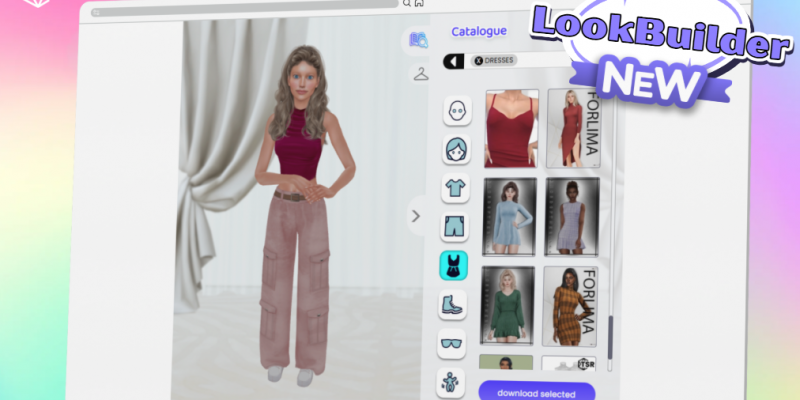
If you’ve been playing around in LookBuilder lately, you might’ve noticed things are looking a little different – and a lot cleaner. This latest update brings a total interface refresh, better viewing tools, and a brand new “My Current Look” tab that makes viewing and downloading CC easier than ever.
New Feature: My Current Look
There’s a new tab in town, and it’s doing all the heavy lifting for your outfit management. Click the little coat hanger icon and you’ll now see a neat breakdown of everything your Sim is wearing.
-
Quick access to downloads – Each equipped item can be directly downloaded from here.
-
See who made it – Hover over any item to view the artist’s name and hop straight to their profile.
-
Batch download support – Select or deselect multiple pieces to download them all together.
-
Smart focus filters – Choose between Head, Body, or Feet to zoom right in and only show what’s equipped in that area.
It’s a small change that makes a big difference, especially if you’re building LookBooks or tracking favourite creators.

Complete UI Overhaul
LookBuilder’s gotten a well-deserved facelift. The interface now looks cleaner, runs smoother, and makes browsing feel way more intuitive.
Here’s what’s new:
-
Fresh category icons that are easier to recognise.
-
Bigger, clearer preview images for all CC.
-
A redesigned layout that keeps things simple and distraction-free.
It’s the same LookBuilder you know – just much better dressed.

Background & Viewing Upgrades
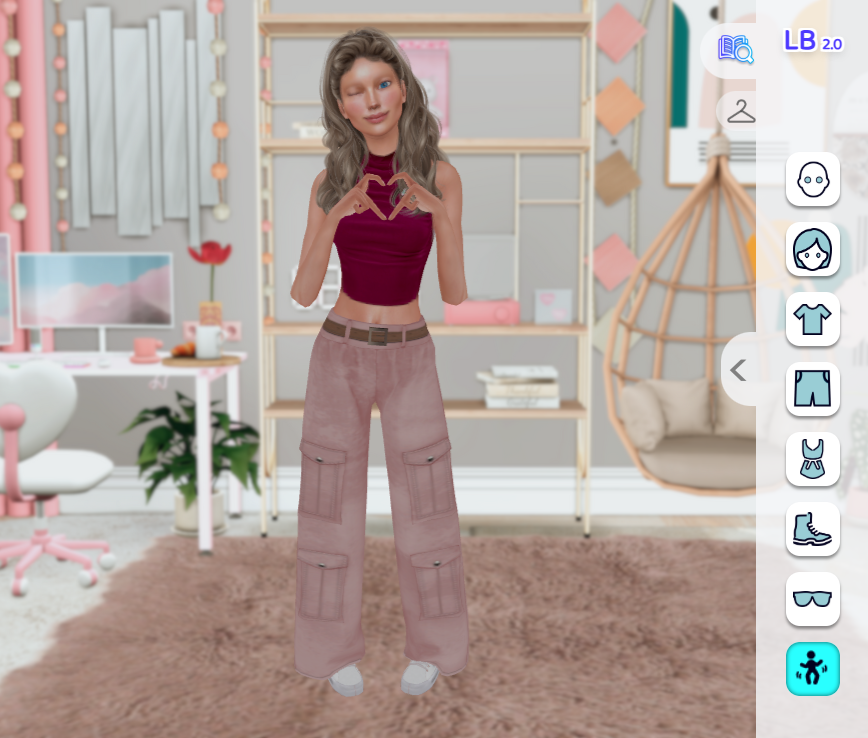
We’ve added new, larger backgrounds, plus a plain option for those who want a studio-style look. It’s perfect for screenshots, creator showcases, or just admiring your Sim in peace.
The toolbar also got a little makeover:
-
Zoom and recenter tools have been tidied up.
-
You can now hide all tools with Q, for a clean fuller view.
-
The catalog can now collapse or expand, so you can see your Sim in full – great for screenshots or outfit previews.
Pair that with the Q shortcut and you’ve basically got your own in-browser photo studio.
Quality of Life Fixes
We also made a number of smaller adjustments and bug fixes behind the scenes – the kind that make everything run just a little smoother, without you even noticing.
LookBuilder is starting to feel more like the dressing room it was always meant to be – clean, quick, and creator-friendly. Whether you’re planning a full CC haul or just putting together your next Sim’s signature outfit, this update should make the process a lot more enjoyable.
Head over to LookBuilder to see the latest update in action!
