
If you’ve ever wanted to bring a little more realism and personality to your Sims’ love lives, WonderfulWhims is one of those essential mods that completely transforms the game. From attraction systems and relationships to menstrual cycles and fertility settings, it adds layers of depth that the base game simply doesn’t offer. But before you can dive in and enjoy it, you’ll need to install it properly – and that’s where this quick guide comes in.
Here’s a simple, step-by-step walkthrough on how to install the WonderfulWhims mod safely and correctly in 2026, whether you’re new to mods or just need a refresher after an EA update.
Step 1: Download and Open the WonderfulWhims ZIP File
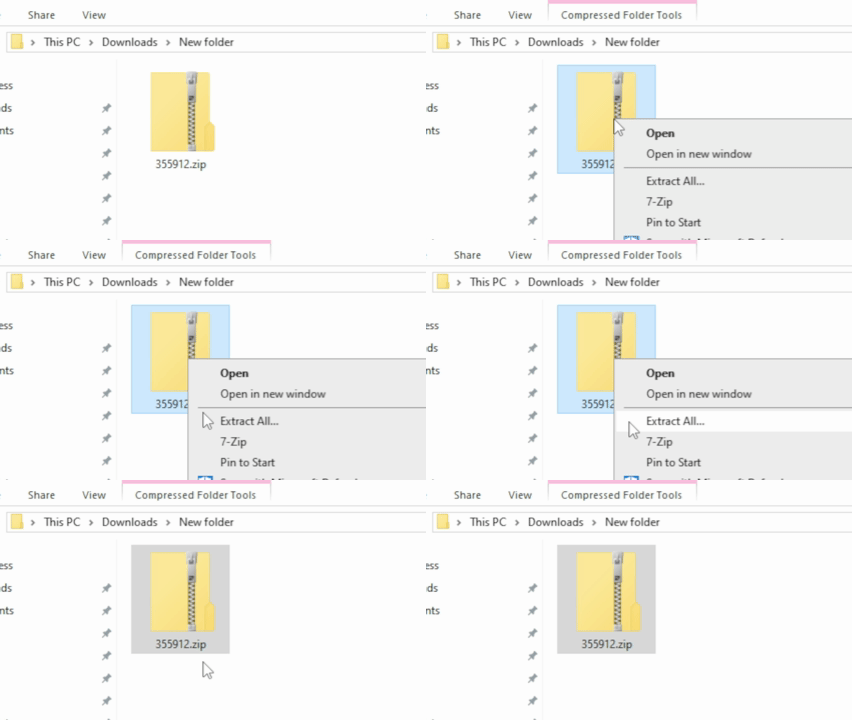
After downloading WonderfulWhims from a trusted source (such as The Sims Resource, or the WonderfulWhims official website), you’ll receive a .zip file. Don’t drag this into your game yet – you’ll need to extract it first.
Right-click the file and choose Extract All (or use your preferred unzipping software). Inside, you’ll find a folder containing a .ts4script file and a .package file – these are what make the mod work.
Step 2: Locate Your Sims 4 Mods Folder
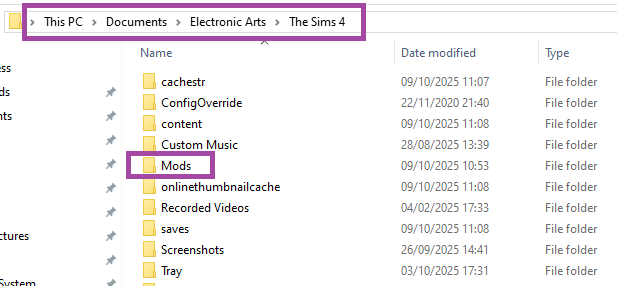
Next, find your Sims 4 installation folder. For most players, it’ll be here by default:
- Documents > Electronic Arts > The Sims 4 > Mods
This is the only place WonderfulWhims should go.
Do not place it within subfolders or it will not work correctly.
- Note: If the “Mods” file does not exist in this folder, create a new folder and name it “Mods”.
Step 3: Move the Mod Files
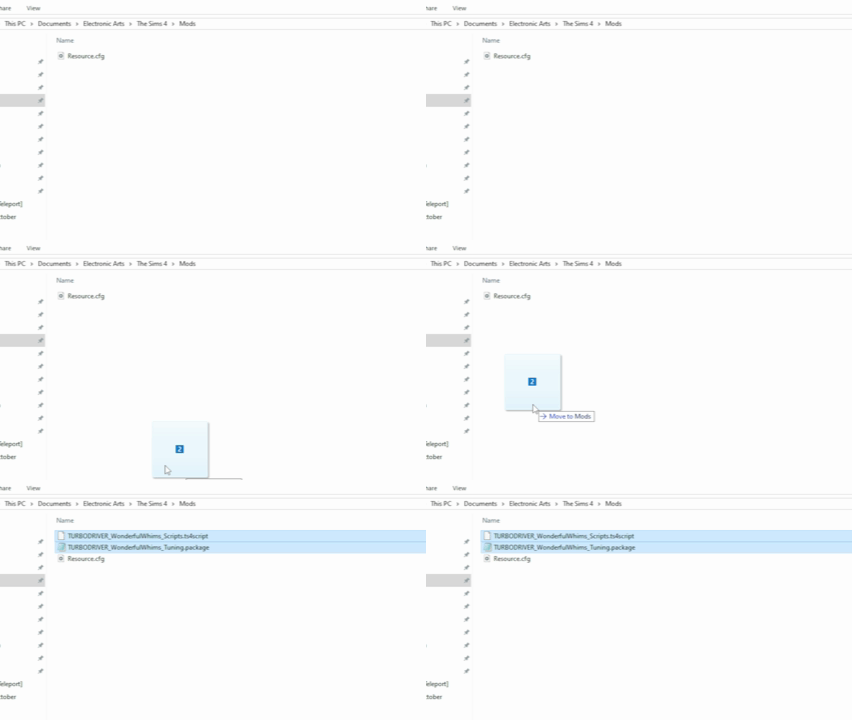
Drag the extracted files for WonderfulWhims (not the ZIP) into your Mods folder.
If the files are sitting directly inside Mods and not buried deeper, you’re good to go.
- Note: Don’t worry if you don’t see the “Resource.cfg” file automatically in your Mods folder. It will generate itself when you launch the The Sims 4.
Step 4: Enable Mods in The Sims 4 Settings
Now it’s time to make sure your game actually allows mods and scripts to run.
- Open The Sims 4.
- Click the three dots (⋯) in the top-right corner.
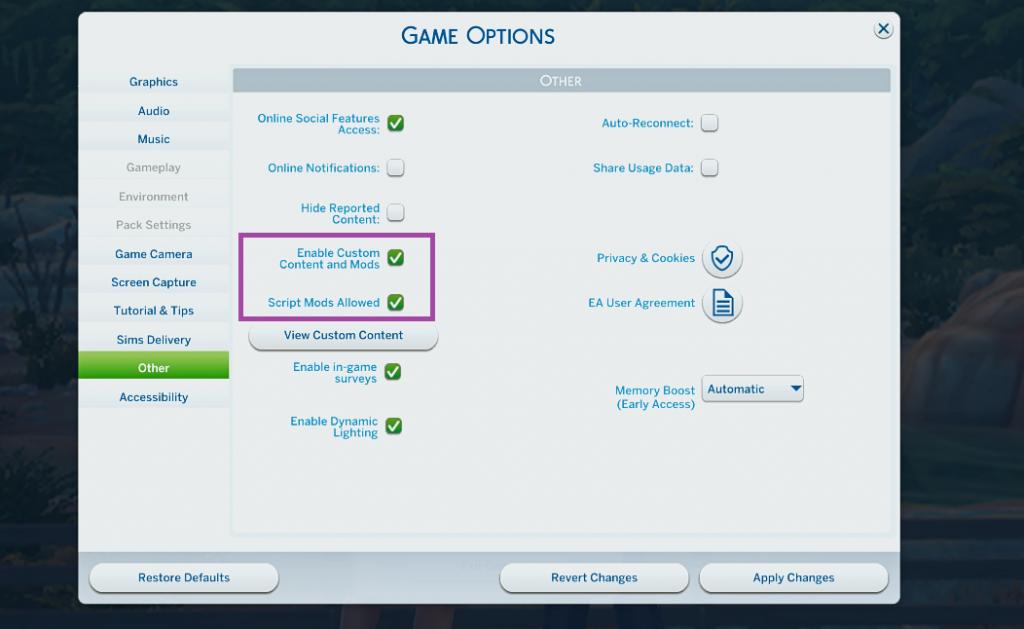
- Go to Game Options > Other.
- Check both boxes for:
- Enable Custom Content and Mods
- Script Mods Allowed
If you didn’t have these turned on already, you’ll need to restart your game for the settings to take effect.
Step 5: Launch and Enjoy!
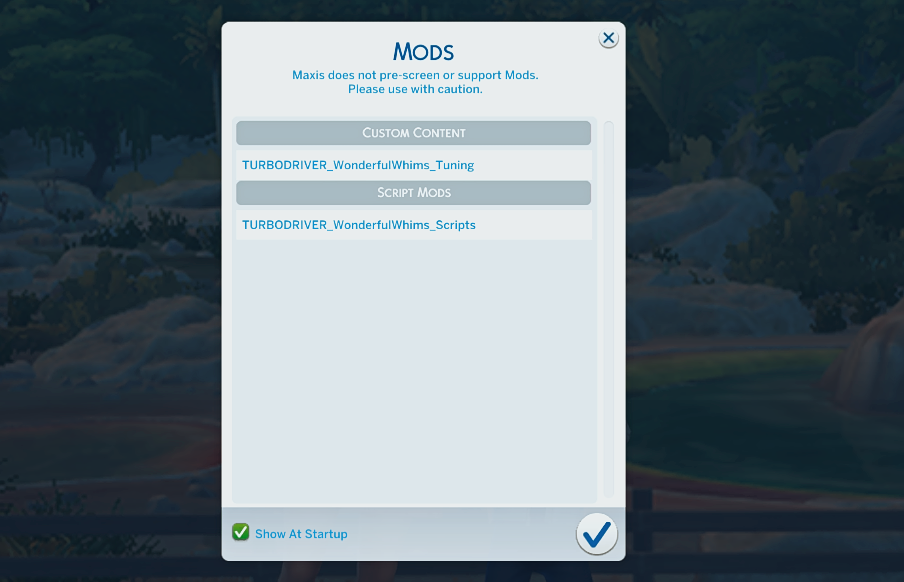
Once your settings are enabled and the mod is in the right spot, load into your game. You’ll see a popup confirming that WonderfulWhims is installed correctly. From there, you can access its settings menu and start exploring features like attractiveness preferences, relationship settings, or fertility options.
And that’s it! You’re ready to enjoy one of the most immersive Sims 4 mods ever made.
Bonus Tip: Keep Mods Updated
After every major EA patch or expansion, always check for updated versions of your mods – especially script mods like WonderfulWhims. Outdated versions can cause glitches or crashes. It’s a good idea to back up your saves, move your Mods folder out temporarily, and reinstall only after verifying compatibility.
Want to know more? Visit the WonderfulWhims Page at The Sims Resource.
