
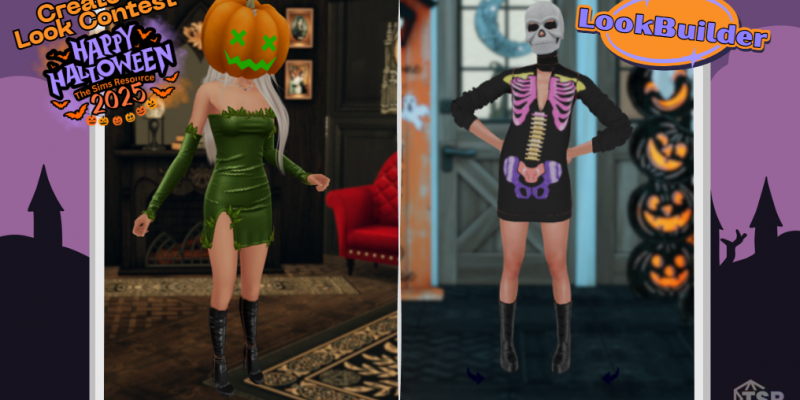
It’s spooky season at The Sims Resource – and we’re continuing on with our 13 Days of Halloween by bringing the fun inside LookBuilder! This Halloween, we’re challenging Simmers everywhere to unleash their creativity with a brand-new “Create a Look” contest, hosted right inside TSR’s in-browser tool, LookBuilder.
Whether you’re designing a witchy runway queen, a pumpkin-patch sweetheart, or a dark romantic vampire, this is your chance to show off your CC styling skills and maybe even win something big.
How to Enter
-
Open LookBuilder on The Sims Resource (you’ll find it in the top navigation bar). Or click here.
-
Create a look using any custom content – it doesn’t have to be from the Halloween tab!
-
Make sure you use one of the Halloween backgrounds under toggles 5, 6, or 7 to set the perfect spooky scene.
-
Screenshot your finished look.
-
Share it in our Discord channel under “halloween-costumecontest” or as a reply to our Facebook contest post to officially enter.
You can submit as many looks as you like – the more, the merrier! But don’t worry, each participant will only be entered once into the raffle, keeping things fair for everyone.
What You Can Win
One lucky winner will receive an Expansion Pack of their choice and a free year of TSR VIP membership! That’s a full year of ad-free browsing, early access to new creations, and exclusive content – perfect for any dedicated Simmer.
Tips for Standing Out
-
Think about your theme. Even if you’re not going for full-on Halloween horror, a touch of mystery or magic never hurts this time of year.
-
Mix and match CC from your favourite creators – LookBuilder has endless possibilities.
-
Try out new hairstyles, accessories, and poses for that screenshot-ready vibe.
- Press ‘Q’ inside Lookbuilder to hide some of the UI. Perfect for screenshotting!
The contest is live now, so open up LookBuilder, get creative, and share your hauntingly beautiful style with us. We can’t wait to see what you come up with!
